

Google Business Profile Video Verification Failed?
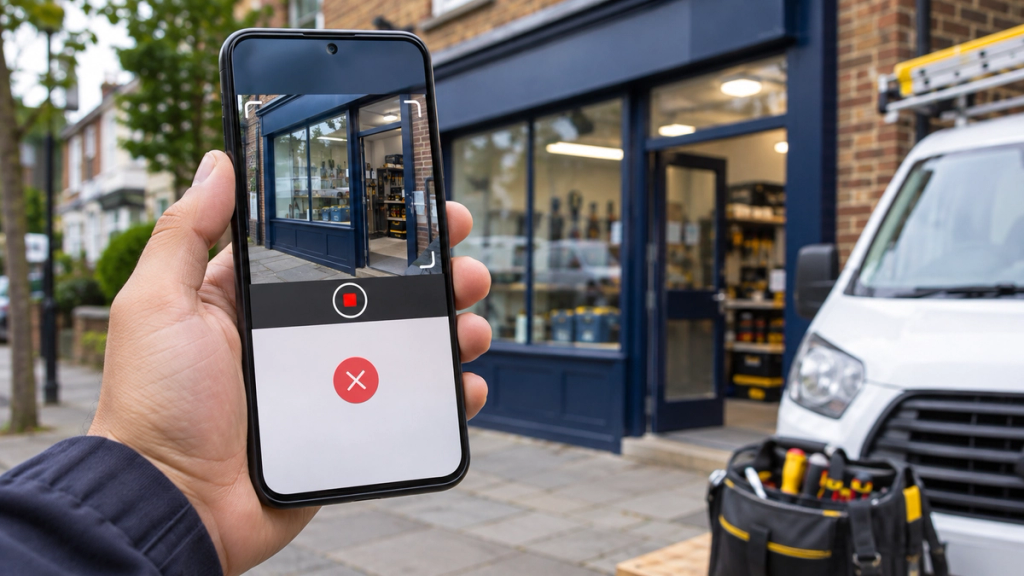
Imagine an electrician in Essex recording a verification video showing their work van, electrical tools and nearby street signs. They submit the recording, only to discover that Google has not accepted it. The owner is left wondering what went wrong.
Google Business Profile video verification can fail when the recording does not adequately prove the business's location, genuine operations or the applicant's authority to manage it. Incorrect business information, unsuitable evidence and failure to follow Google's recording requirements can also cause problems.
However, a rejected recording, a failed upload and a video awaiting review are different situations. Each requires a different response.
This guide explains nine common verification problems affecting UK businesses and how to approach them without using misleading addresses, fabricated evidence or unofficial shortcuts.
How Does Google Business Profile Video Verification Work?
Google Business Profile video verification helps Google establish that a business genuinely operates where it claims and that the person requesting verification is authorised to represent it.
According to Google's official video verification guidance, the recording needs to demonstrate three things.
1. Business location: Evidence connecting the business to its genuine operating location, such as street signs, building numbers or nearby landmarks.
2. Business existence: Evidence of actual business operations, including appropriate signage, equipment, stock, tools or workspaces.
3. Business management: Evidence demonstrating that the applicant has access to business-only areas, assets or operations.
Storefront vs Service-Area vs Hybrid Businesses
Different business models require different evidence.
| Business type | Examples | Appropriate evidence |
|---|---|---|
| Storefront | Shop, salon, restaurant | Surrounding location, permanent signage, staff-only access |
| Service-area business | Plumber, electrician, mobile cleaner | Genuine operating area, tools, work vehicle where available, management evidence |
| Hybrid | Restaurant offering delivery, repair garage offering roadside assistance | Customer-facing premises, permanent signage and relevant business operations |
A service-area business can operate legitimately from home without receiving customers there.
Crucially, it should not publicly display its residential address as a customer-facing location merely to complete verification.
9 Reasons Google Business Profile Video Verification Can Fail
These nine scenarios are practical troubleshooting categories, not an official Google list of nine universal rejection reasons.
1. The Video Does Not Meet Google's Recording Requirements
Google requires a unique, continuous, unedited video lasting at least 30 seconds.
It must be recorded live on a mobile device through the Google Business Profile verification process and uploaded using that process.
A video recorded with a separate camera application and submitted later is not an acceptable substitute.
Likewise, an edited promotional video containing professional transitions, separate clips or background footage does not satisfy the live-recording requirement.
What to check: Confirm that you recorded through the actual Business Profile verification screen, captured everything in one take and completed the upload.
How to fix it: Prepare your recording route beforehand. Start the recording through Google's available verification option, show the required evidence and upload it without editing.
If the video never uploads successfully, investigate a technical submission problem rather than assuming Google rejected its contents.
2. The Video Does Not Clearly Establish the Business Location
One of the most important verification requirements is proving where the business genuinely operates.
Imagine an Ilford business owner filming only their office desk, computer and company paperwork.
Although these details may demonstrate business activity, they might not establish that the office is situated at the location associated with the Business Profile.
Google recommends recording recognisable location identifiers, including street signs, building numbers, nearby businesses or landmarks.
How to fix it: Plan a continuous route that connects identifiable surroundings to your actual premises or operating base.
For a home-based service-area business, suitable signs and landmarks from the immediate neighbourhood may help establish its location.
Avoid filming a different location simply because it looks more commercial. Never present another company's office or a rented mailbox as your genuine operating base.
3. Permanent Storefront Signage Is Missing or Does Not Match
For customer-facing businesses displaying their address, Google expects permanent, fixed signage featuring the genuine business name.
Problems can arise when signage is missing, difficult to read or inconsistent with the name on the Business Profile.
A temporary paper notice or a sign belonging to another company may not establish the storefront's identity.
For example, a shop's genuine signage might read "Greenfield Interiors", while its Business Profile says "Greenfield Interiors Best Furniture Shop Ilford".
That additional wording can create an unnecessary inconsistency.
How to fix it: Ensure the profile uses the genuine business name and that appropriate permanent signage is clearly visible in the recording.
Important: This storefront requirement does not mean every home-based plumber, gardener or mobile cleaner needs a permanent exterior shop sign.
Legitimate service-area businesses should follow their own evidence requirements instead of inventing storefront signage.
4. The Video Does Not Show Enough Evidence of Real Business Activity
Showing a building alone does not necessarily demonstrate that a company actively provides the services listed in its profile.
Google also needs evidence that a genuine business operates there.
Appropriate evidence depends on the industry.
An electrician might show testing equipment and electrical tools. A plumber could demonstrate professional plumbing equipment. A cleaning business might show its commercial cleaning supplies.
A retail shop can show genuine stock, shelving and its trading premises. A restaurant might show its kitchen, service area or relevant equipment.
Mobile service providers can use business equipment and work vehicles where appropriate.
How to fix it: Choose recognisable assets that are genuinely used in your daily operations.
The recording should make it reasonably clear what your business actually does.
A branded vehicle is helpful in some cases, but it is not mandatory for every business.
Do not stage false activities or borrow unrelated equipment solely for verification.
5. The Video Does Not Prove You Manage the Business
Business existence and management authority are separate requirements.
A visitor may be able to photograph a shopfront or record a company's vehicle without having any connection to the business.
Google therefore asks for evidence demonstrating that the applicant manages or represents the operation.
For storefront businesses, suitable examples include unlocking an employee-only entrance, entering a restricted stockroom or operating a point-of-sale system.
Service-area businesses may demonstrate access to business equipment, unlock an appropriate work vehicle or show relevant business documentation.
How to fix it: Include a clear action demonstrating legitimate business access or operational control.
If using paperwork, reveal only necessary, non-sensitive information and follow Google's instructions.
Never expose passwords, customer records, bank details, identification numbers or security codes.
If Google specifically flags missing management evidence, address that issue rather than repeatedly showing more street footage.
6. The Business Name or Address Does Not Match the Evidence
A Business Profile should accurately reflect how the business operates in the real world.
Verification can become difficult when the profile contains an outdated address, incorrect map location, misleading business name or inaccurate customer-facing configuration.
This can happen after an office relocation or when a business changes its trading name.
For example, a company operating publicly as "Oakfield Plumbing" should not add unrelated service and location keywords to its Business Profile name merely to attract more searches.
How to fix it: Check the actual trading name, operating address, map pin, primary category and customer-facing arrangements.
Make legitimate corrections where necessary, rather than changing accurate information to imitate a document.
Avoid speculative edits while attempting verification, because significant changes may trigger further verification requirements.
If the mismatch results from a genuine relocation, prepare clear evidence of the new operating location.
7. Service-Area Business Requirements Are Misunderstood
Service-area businesses are often confused with storefronts.
An electrician who travels to customers around East London does not necessarily need a public office, showroom or shopfront.
The business may operate from a genuine home base while providing in-person services at customers' properties.
Google allows eligible service-area businesses to keep their operating address hidden from the public.
However, they must still demonstrate an authentic operating location, real business activity and management authority.
How to fix it: Check whether your business is correctly configured as a service-area business.
Prepare identifiable neighbourhood footage, relevant tools, a workspace, work vehicle where available and suitable evidence of management.
Do not make a residential address publicly visible when customers are not received there.
Equally, do not confuse being home-based with operating entirely online. A business with no eligible in-person customer activity may not qualify for a Business Profile.
8. The Business Location or Operating Model Is Not Eligible
Sometimes the underlying issue is not the recording itself.
The business may be using an address or operating model that does not meet Google's eligibility requirements.
Examples include virtual mailing offices, PO boxes, online-only operations without eligible in-person services and improperly configured co-working locations.
Google's rules are particularly important for businesses using shared offices.
A co-working location must meet the applicable requirements for business signage, customer access and staffing during stated business hours.
Merely renting a desk occasionally does not automatically make the location eligible.
Similarly, a company should not create multiple profiles for the same operation without a legitimate basis.
How to fix it: Review the actual operating model against Google's business representation guidelines.
Distinguish between a genuinely staffed customer-facing office, a home-based service business and a virtual mailing address.
A better video cannot resolve an underlying eligibility problem.
9. Re-Verification, Repeated Rejection or Missing Verification Options Remain Unresolved
Some businesses submit suitable evidence but continue to encounter verification requests.
Possible situations include a video being rejected, new information being requested, the profile requiring re-verification or the available verification options being exhausted.
You might see "Get verified" again, encounter a "No more ways to verify" message or repeatedly return to the verification screen.
These messages do not necessarily mean the same thing.
Google may request re-verification following changes to important business information. A repeated verification prompt is not always proof that the latest recording was explicitly rejected.
How to fix it: Check the current verification status and read any "Review issues" notification.
Identify whether you need better evidence, another upload, additional information or official support.
If the interface gives unclear feedback or no supported method remains available, contact Google Business Profile Support with a factual account of previous attempts.
Do not create replacement profiles or assume an agency can bypass Google's verification decisions.
How to Record a Google Business Profile Verification Video Correctly
Preparing the evidence before recording can help avoid unnecessary repeat attempts.
Follow this ten-step checklist.
- Confirm your business type. Determine whether you genuinely operate a storefront, service-area business or hybrid business.
- Check your profile information. Review the trading name, location, service area, business category and operating arrangements.
- Plan your route. Identify how one continuous video will establish location, business existence and management authority.
- Prepare your phone. Ensure the camera works, internet connectivity is available and requested permissions can be granted.
- Open the verification process. Sign in to the Google account managing the profile, select "Get verified" and choose "Business video" if offered.
- Show the location. Begin with appropriate street signs, building indicators, landmarks or neighbouring premises.
- Show the business. Record permanent storefront signage or genuine work equipment, depending on the business type.
- Demonstrate management authority. Show authorised access to a staff-only area, relevant business-only assets or suitable business documentation.
- Review the recording. Confirm it is at least 30 seconds long, continuous, clear and free from unnecessary sensitive information.
- Upload and monitor. Complete the upload through the Business Profile and check the resulting verification status.
Google's current guidance says reviews can take up to five business days.
Completing the checklist does not guarantee acceptance. Google evaluates the evidence and determines the result.
What Should You Do If Google Rejects Your Video?
When Google Business Profile video verification is unsuccessful, the next action should be based on the feedback provided.
Start by signing in to the correct Google account and opening the affected Business Profile.
Look for the "Review issues" notification.
Google may identify problems such as an invisible storefront name, missing nearby-area evidence or insufficient proof of business management.
Read the available feedback carefully before starting another recording.
If the issue concerns location, improve the geographical evidence. If the issue concerns authority, demonstrate appropriate controlled access.
A new video should retain the necessary evidence from the earlier recording while adding or improving what was missing.
If no useful explanation appears, record the exact message, attempted submission date and relevant profile details.
Repeatedly submitting effectively the same recording without addressing a known problem is unlikely to be productive.
If the issue remains unresolved, use Google Business Profile Support.
What If Your Google Business Profile Video Will Not Upload?
An upload failure is not the same as Google reviewing and rejecting your evidence.
If the recording cannot be submitted, first confirm that you are using Google's supported mobile verification process.
Check your connection and any requested camera, microphone or location permissions.
Then attempt the upload again through the Business Profile.
If it continues failing, note the device, browser or verification interface involved, any error message and the point at which the upload stops.
Avoid using third-party upload services or attempting to replace the supported process with a prerecorded video.
Google acknowledges that uploads can sometimes fail. Persistent technical problems may require official support.
What If Google Keeps Asking You to Verify Again?
A repeated verification request can have several explanations.
Google may require additional information after changes to a business name, address, location or other important profile details.
The previous verification may also have remained incomplete.
First, establish whether the latest submission was rejected, is still awaiting review or was never successfully uploaded.
Avoid repeatedly changing important profile fields simply to see whether the verification prompt disappears.
Can You Request Another Verification Method?
Google determines which methods are offered to each business.
If your Business Profile provides multiple verification methods, you can use an available option.
However, businesses cannot automatically demand verification by telephone, email, postcard or live video call.
Google support may review an unresolved verification problem, but there is no guarantee that another method will become available.
How Can UK Service-Area Businesses Verify Without Shop Signage?
Consider a self-employed electrician operating from home in Essex and visiting customers in Ilford, Barking, Romford and surrounding areas.
The electrician has legitimate tools, a work vehicle and a genuine operating base, but no customer-facing showroom.
Such a business should not pretend its home is a retail shop simply to satisfy verification.
Instead, the recording can establish its genuine operating area using nearby signs or landmarks, followed by appropriate evidence of electrical work equipment and management authority.
Where available, unlocking a work vehicle or demonstrating access to a dedicated workspace may help.
Business materials or suitable non-sensitive documents can provide additional evidence.
Google's service-area business guidance explains how eligible businesses should configure their service areas and hide addresses where customers are not received.
The essential requirement is an authentic business, not artificial shop signage.
What Is the Difference Between Verification Failure and GBP Suspension?
Verification failure means Google has not successfully completed the process of confirming the business or its authorised representation.
Business Profile suspension means Google has restricted or disabled the profile under a separate policy or eligibility process.
A business can experience a verification failure without being suspended.
If the profile has been suspended or disabled, follow the appropriate appeal or recovery process instead of assuming another verification video will resolve the restriction.
For that separate issue, see XCONS Solutions' Google Business Profile suspension guide for UK businesses.
Avoid creating duplicate profiles to escape either problem.
How Long Does Google Business Profile Video Verification Take?
According to Google's current guidance, reviewing a submitted verification video can take up to five business days, although unusual cases may take longer.
Businesses should distinguish between a completed upload, a pending review, a rejected video and an approved verification.
Waiting beyond the usual review period does not automatically mean the business has been permanently rejected.
If the status remains unresolved, check for updated account instructions and consider contacting official support.
No agency can legitimately sell guaranteed immediate verification approval.
When Should You Contact Google Business Profile Support?
Contacting Google support may be appropriate when verification videos are repeatedly rejected, uploads continually fail or verification remains unresolved beyond the expected review window.
Support may also be relevant when the profile displays no available verification method, keeps requesting re-verification or provides feedback that cannot reasonably be addressed.
Before submitting a support request, prepare:
- The exact Business Profile name and relevant operating location
- A clear description of the problem
- Dates of previous verification attempts
- Screenshots showing the exact error or status
- A summary of the evidence provided and corrective steps already attempted
Remove confidential information from anything being shared unnecessarily.
Use the official Google Business Profile support route.
Support availability varies, and neither manual approval nor access to a live video call is guaranteed.
How Can Verification Problems Affect Local Customer Enquiries?
An unresolved verification issue can limit a business owner's ability to manage their profile and use certain Google Business Profile features.
Accurate opening hours, contact details, categories and service information help potential customers understand whether a business meets their needs.
This matters when someone searches Google Maps for a local electrician, cleaning company or nearby restaurant.
However, an unverified profile does not necessarily disappear from every search result.
Likewise, completing verification does not automatically improve Google Maps rankings.
Businesses should treat verification as one part of maintaining a trustworthy local presence, alongside accurate information, a useful website and consistent customer communication.
Our related guide to local SEO services for small businesses explains that broader process.
UK Business Eligibility and Privacy Considerations
Before recording, confirm that your business genuinely qualifies for a Google Business Profile.
Use an authentic operating location and represent the actual services provided.
Storefront businesses displaying their address should meet Google's customer-facing and signage requirements.
Eligible home-based service-area businesses should keep their address hidden where customers do not visit.
During recording, avoid exposing customer information, passwords, bank details, tax identifiers, private identity documents, security credentials or other people's faces.
If documentation is necessary, show only appropriate non-sensitive information in accordance with Google's instructions.
Never fabricate invoices, borrow another company's evidence or use misleading business addresses.
When Should You Hire a Google Business Profile Specialist?
Professional assistance may be useful when a business struggles to understand its profile settings, has inconsistent business information or repeatedly encounters verification difficulties.
A specialist can review the business model, identify obvious profile inconsistencies, assess available evidence and help organise relevant information.
Businesses that have relocated or operate across several genuine locations may particularly benefit from a structured profile review.
However, verification decisions remain Google's responsibility.
Struggling With Google Business Profile Verification?
XCONS Solutions Ltd is a digital agency based in Ilford, East London, supporting UK businesses with Google Business Profile management and local search optimisation.
Our services include reviewing profile information, business categories, service details and ongoing local profile management.
If your Business Profile information needs attention, explore our Google Business Profile Management service or contact XCONS Solutions to discuss your business.
We do not guarantee Google verification approval or access to special verification methods.
Final Thoughts
A failed Google Business Profile video verification does not automatically mean your business is ineligible.
Start by identifying the exact problem. Check whether the recording was rejected, failed to upload or is still being reviewed.
Then make sure the evidence accurately demonstrates your genuine location, business operations and management authority.
For UK storefronts, that may mean clearer permanent signage and premises access. For home-based service businesses, it may mean stronger evidence of the operating area, professional equipment and business management.
The most reliable approach is to follow Google's current instructions, respond to the feedback available and avoid misleading verification shortcuts.