

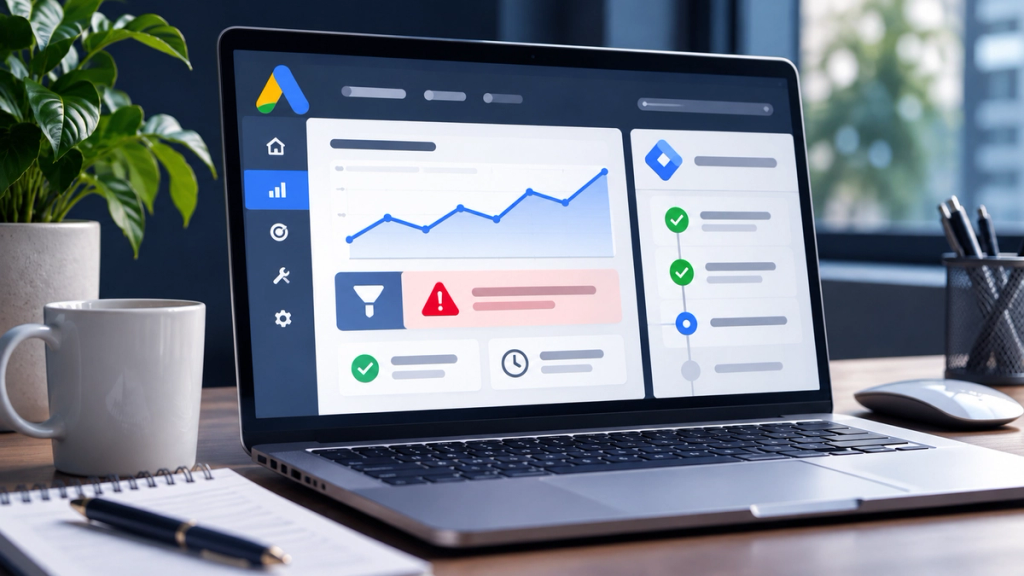
Your website is receiving contact form enquiries and telephone calls, but Google Ads reports zero conversions. Alternatively, your advertising dashboard shows plenty of conversions, yet your sales team cannot identify the corresponding enquiries.
Google Ads conversion tracking may not be working because of missing tags, incorrect conversion IDs, broken form triggers, GA4 configuration, campaign goal settings, consent restrictions, lost click identifiers, duplicate events or reporting delays.
However, zero recorded conversions do not automatically mean tracking is broken. Before making changes, confirm that genuine customer enquiries or sales have occurred and establish whether those actions should be attributed to Google Ads.
How to Tell Whether Google Ads Conversion Tracking Is Actually Broken
The first step is to distinguish a measurement problem from a business performance problem.
Situation A: Your business receives enquiries, but Google Ads reports zero conversions.
Check whether those enquiries came from advertising. If they did, investigate tag implementation, conversion actions, attribution and reporting.
Situation B: Google Ads reports conversions, but the business receives no corresponding enquiries.
Investigate incorrect event triggers, duplicate tags, contact-page views being counted as leads and other actions that do not represent successful enquiries.
Situation C: Your CRM shows more enquiries than Google Ads.
This is not necessarily a fault. Your CRM may include leads from organic search, referrals, direct visits and other channels. Examine the attributable Google Ads enquiries before comparing totals.
Situation D: Your campaign receives clicks but produces no genuine enquiries.
Tracking may be working correctly. The issue could involve search intent, the landing page, competition or another campaign performance factor.
Where Should You Check Conversion Tracking in Google Ads?
Open your Google Ads account and navigate to Goals → Conversions → Summary.
Review the conversion action name, source, category, status, counting method and Primary or Secondary setting. Then check which conversion goals your campaigns use.
Google displays overview statuses including Active, Needs attention, Misconfigured, Awaiting conversions and Removed. Other diagnostics may show messages such as Unverified, Tag inactive or Recording.
An Awaiting conversions status can occur when an action is new, a campaign is paused or there has been insufficient conversion activity. It is not conclusive evidence of a broken tag.
Symptom
First investigation
Zero recorded conversions
Event setup, status and actual lead records
Tag needs attention
Tag Assistant and conversion diagnostics
Forms submit without an event
GTM triggers and form success behaviour
GA4 records activity but Ads does not
Property linking and conversion creation
Conversions appear only in All conversions
Primary/Secondary settings and campaign goals
Unusually high conversion totals
Duplicate tags and incorrect event triggers
CRM and Google Ads figures differ
Attribution, traffic sources and reporting dates
Google's conversion tracking status guide explains the available troubleshooting checks.
9 Reasons Google Ads Conversion Tracking Is Not Working
1. The Google Ads Conversion Tag Is Missing or Inactive
A conversion tag tells Google when a valuable action occurs. If the relevant tag is missing, cannot load or fails to send the correct event, that action may never be recorded.
This frequently becomes visible after a website redesign, domain migration, plugin update or change to the booking process.
Typical symptoms: Google Ads shows no recent activity, an implementation warning or an unverified conversion action despite known enquiries.
How to check and fix it:
Open the website using Google Tag Assistant. Confirm that the Google tag or Tag Manager container loads on the required pages. Then complete a controlled test enquiry and check whether the conversion event fires.
If the tag is absent, investigate the website installation or deployment. If Google Tag Manager is used, confirm that the correct container version has been published.
Do not assume an inactive status requires rebuilding everything. A recently created action may simply have insufficient activity.
A developer may be needed when the website framework, content security policy or recent deployment prevents the tag from loading. Allow for diagnostic processing time after making corrections.
2. The Conversion ID or Conversion Label Is Incorrect
A Google Ads conversion action must be connected to the correct measurement configuration.
When manually configuring a Google Ads Conversion Tracking tag in Google Tag Manager, the conversion ID and conversion label must correspond to the intended conversion action.
Typical symptoms: The tag appears to fire, but the expected conversion remains unverified or data goes to the wrong account or action.
How to check and fix it:
Open the intended conversion action in Google Ads and review its installation instructions. Compare the provided conversion ID and label against the values configured in the deployed GTM tag.
Check for old account identifiers left behind after an agency migration or account restructure.
A particularly important exception concerns automatically created conversion goals. These cannot always be mapped directly to manual GTM conversion tags. Where required, create an appropriate manually configured conversion action to obtain its values.
Do not paste an unrelated Google Ads account ID into a tag as a quick fix.
Where several advertising accounts share a website, a tracking specialist should map each conversion action before editing anything.
3. Google Tag Manager Triggers Are Not Detecting Completed Enquiries
A conversion tag can be installed correctly and still fail because its trigger never detects a successful submission.
Modern websites often use AJAX forms, appointment widgets, JavaScript applications or third-party booking tools. These may display a success message without loading a new page.
A trigger configured to fire only when someone visits /thank-you/ will not work if that page is never opened.
Typical symptoms: A contact form successfully delivers enquiries, but no conversion event appears during testing.
How to check and fix it:
Use GTM Preview mode and submit a controlled test form. Inspect the event timeline and determine whether the conversion tag fired.
Importantly, distinguish between:
- Clicking a submit button.
- Passing form validation.
- Successfully submitting the form.
- Having a genuine enquiry recorded by the business.
These are not equivalent actions.
Where the website supports it, a custom data layer event triggered after confirmed submission is often more reliable than a button-click rule.
For embedded forms, coordinate with the form provider or developer to identify a supported success event or callback.
Avoid firing conversions simply because someone clicks Send. If the form rejects the submission, it should not automatically become a completed lead.
Complex JavaScript forms and booking widgets commonly require developer involvement.
4. Conversion Linker, Auto-Tagging or Cross-Domain Tracking Is Misconfigured
Google Ads must do more than receive an event. It must associate an eligible conversion with an advertising interaction.
Auto-tagging can add a Google Click Identifier, known as a GCLID, to a landing-page URL. Relevant tags and attribution configuration help Google connect subsequent actions to that advertising activity.
Problems can occur when redirects remove URL parameters, browser storage is restricted or the visitor moves to another domain without suitable measurement configuration.
For example, a UK consultancy advertises its services on its website, but appointments are completed through an external booking platform.
The booking may succeed even though the final event cannot be attributed correctly.
How to check and fix it:
Review auto-tagging in Google Ads. Examine whether the website handles advertising URL parameters correctly through redirects. In GTM implementations, check the Conversion Linker and its firing configuration.
Where multiple domains are involved, assess supported cross-domain measurement or the booking provider's conversion integration.
Do not assume that a tag firing proves successful Google Ads attribution. Equally, do not attempt to retain advertising identifiers in ways that override consent requirements.
A specialist may be necessary when booking, checkout or login processes cross several domains.
Google explains these dependencies in How Google Ads Tracks Website Conversions.
5. GA4 Key Events Are Not Correctly Configured in Google Ads
Google Analytics 4 and Google Ads are related systems, but they do not measure or report every action identically.
GA4 collects events. Important events can be marked as key events. Google Ads conversion actions can then be created from eligible Analytics events or key events.
Marking an event as a key event in GA4 does not automatically guarantee that it will appear as a Google Ads conversion.
Typical symptoms: GA4 records form submissions, but the corresponding Google Ads conversion action has no reported activity.
How to check and fix it:
Confirm that the correct GA4 property is linked to the intended Google Ads account. Review whether a Google Ads conversion action has actually been created from the relevant Analytics event.
Check auto-tagging, conversion settings, applicable attribution and whether the activity originated from Google Ads.
Use GA4 DebugView to verify that the intended event occurs. Then inspect Google Ads conversion diagnostics and allow for processing time.
Do not repeatedly create additional conversion actions simply because the figures differ.
Direct Google Ads conversion measurement and GA4-based conversions have different configurations and reporting characteristics. An analytics specialist can help reconcile them without creating overlapping optimisation signals.
See Google's guidance on missing GA4 data in Google Ads.
6. Primary, Secondary or Campaign Conversion Goals Are Incorrect
Sometimes the event is recorded correctly, but the business is looking in the wrong reporting column.
Google Ads distinguishes between Primary and Secondary conversion actions.
Primary actions generally contribute to the main Conversions column and bidding when their standard goal is selected for optimisation. Secondary actions are ordinarily used for observation and appear in All conversions.
However, custom conversion goals can include Secondary actions for bidding.
Typical symptoms: A form submission is visible under All conversions, but not in the main Conversions column, or the campaign optimises towards the wrong action.
How to check and fix it:
Inspect each conversion action's Primary or Secondary status. Review account-default goals, campaign-specific goals and any custom goals.
Consider a professional services business tracking contact enquiries and newsletter subscriptions.
Both activities may be legitimate, but a newsletter subscription should not automatically carry the same optimisation importance as a qualified sales enquiry.
Define which actions represent actual business value before changing the goals.
Avoid making large bidding changes without reviewing the potential learning and reporting consequences.
A PPC specialist should review complex goal structures before modifying actions used by Smart Bidding.
7. Cookie Consent or Google Consent Mode Is Misconfigured
UK advertising measurement must be configured with applicable privacy requirements in mind.
A cookie consent banner, consent management platform and Google Consent Mode perform different functions.
The banner or consent platform obtains and manages visitor choices. Consent Mode communicates relevant consent states to supported Google tags.
Four important parameters are:
Consent parameter
Function
ad_storage
Advertising-related storage
ad_user_data
Consent for sending user data to Google for advertising-related purposes
ad_personalization
Personalised advertising
analytics_storage
Analytics-related storage
These signals must not be treated as interchangeable.
Typical symptoms: Measurement differs unexpectedly between consent states, or tags behave differently from the visitor's actual choices.
How to check and fix it:
Use Tag Assistant to inspect default consent states, updates following banner interaction and the corresponding tag behaviour.
Check whether the consent platform sends the appropriate updates and whether GTM's consent configuration matches the intended implementation.
Distinguish legally required restrictions from technical errors. In advanced Consent Mode, supported tags may send limited cookieless signals under denied consent, but deployment must still be assessed against applicable UK law.
Never override denied consent or remove privacy controls to increase recorded conversions.
Server-side tagging is not an automatic exemption from PECR or UK GDPR.
Where the implementation is uncertain, involve both a technical measurement specialist and an appropriately qualified privacy adviser.
8. Duplicate Tags or Incorrect Events Are Inflating Conversion Numbers
Tracking can be inaccurate even when Google Ads reports more conversions than expected.
Duplicate Google Ads tags, multiple GTM containers, legacy snippets and incorrect triggers may cause the same activity to be recorded more than intended.
Other examples include a thank-you page firing a conversion on refresh or a button click being counted even when the form fails.
Typical symptoms: Google Ads reports substantially more leads or purchases than the underlying business system can confirm.
How to check and fix it:
Use Tag Assistant to inspect which tags fire during one successful conversion. Check whether multiple conversion actions represent the same business event.
Review counting settings. Counting One may suit some lead-generation actions, while counting Every is often appropriate for distinct purchases.
Use transaction identifiers for relevant purchase measurement and deduplication configurations.
Having both a direct Google Ads conversion and a GA4-based conversion is not automatically wrong. The danger arises when overlapping actions affect reporting or optimisation inappropriately.
Do not delete historical conversion actions without assessing their campaign dependencies.
A tracking specialist can help consolidate measurement while protecting historical reporting and bidding continuity.
9. Reporting Delays, Attribution or Offline Lead Tracking Are Being Misunderstood
A conversion event can function correctly without appearing immediately, or in the expected place, in Google Ads reporting.
Reasons include processing delays, attribution windows, the difference between click-date and conversion-date reporting, and data-driven attribution.
Google Ads may credit a conversion to the earlier advertising interaction rather than the date on which the customer submitted the enquiry.
Typical symptoms: A test event fires, but campaign reporting remains unchanged, or a CRM records a customer sale several days after the initial lead.
How to check and fix it:
Allow time for reporting to update and review the correct date range. Compare Conversions with All conversions and inspect the applicable attribution settings.
For telephone enquiries, check the relevant call conversion setup and any minimum call-duration threshold.
For longer sales cycles, distinguish the initial enquiry from the later qualified lead or completed sale.
For example, a prospective customer clicks an advert, requests a quotation on Monday and signs a contract on Friday. These are different stages of the same customer journey.
Where appropriate, CRM integration and offline conversion measurement can connect advertising with meaningful sales outcomes.
For existing offline imports, also check whether legacy integrations are affected by Google's 2026 migration towards the Data Manager API.
Enhanced conversions for leads may improve attribution in supported implementations, subject to the necessary permissions and data-protection safeguards.
Never upload sensitive customer information without appropriate legal, contractual and security controls.
How to Test Google Ads Conversion Tracking Safely
Follow this sequence before rebuilding your setup.
Step 1: Define the real conversion. Decide whether the intended action is a completed enquiry, confirmed booking, qualifying telephone call or successful purchase.
Step 2: Review the Google Ads conversion action. Confirm the correct account, source, status, counting settings and campaign goal.
Step 3: Open Tag Assistant. From the relevant conversion action, use the troubleshooting option where available. Connect to the website and follow the customer journey.
Step 4: Perform a controlled test. Submit a legitimate test enquiry or use an approved staging process. Avoid creating unnecessary records in production.
Step 5: Inspect the trigger. Confirm the conversion event fires after successful completion, not merely when a button is clicked.
Step 6: Check GA4 if applicable. Use DebugView to verify the event and confirm the correct Analytics property.
Step 7: Test consent behaviour. Ensure tag behaviour reflects the visitor's actual consent choices.
Step 8: Review Google Ads diagnostics. Check whether the event was detected and whether any warnings remain. Allow for reporting and status-update delays.
Step 9: Reconcile the business record. Verify that the corresponding enquiry, booking or purchase exists in the CRM or order system.
A successful Tag Assistant test confirms the technical event under the tested conditions. It does not guarantee that the test will be attributed to a real advertising interaction.
Do not repeatedly click live ads to manufacture test conversions.
Why Don't Google Ads and GA4 Conversion Numbers Always Match?
Google Ads and GA4 can report different results without either platform being broken.
They may differ in the way they attribute conversions, assign reporting dates, identify eligible advertising activity and apply conversion windows or consent-related modelling.
For example, GA4 may record a key event from organic search, while Google Ads would not necessarily count that event as a Google Ads-attributed conversion.
Differences also arise when the Google Ads action is Secondary, uses different counting settings or has not yet completed data processing.
The correct approach is to compare equivalent events, relevant advertising traffic, compatible date definitions and matching attribution settings.
Do not treat identical conversion totals as the only acceptable evidence of accurate measurement.
What Happens When Google Ads Optimises Towards the Wrong Conversions?
Smart Bidding relies on the conversion goals and signals configured for the campaign.
If a business treats every contact button click as a valuable lead, the campaign may optimise towards people who click buttons rather than people who actually submit enquiries.
For lead generation, a better measurement framework distinguishes between an initial enquiry, a qualified prospect, a booked appointment and a completed sale.
Those stages may require separate conversion actions, appropriate values and CRM integration.
For businesses with longer sales cycles, carefully configured offline conversions can provide additional information about lead quality.
However, repairing measurement cannot guarantee cheaper leads or increased revenue. It creates a stronger foundation for interpreting performance and making informed decisions.
Businesses should also understand how actual enquiries are defined and evaluated. XCONS Solutions explains related website considerations in its Conversion Rate Optimisation services.
Does Google Ads Conversion Tracking Require Cookie Consent in the UK?
Advertising-related storage and access technologies generally require valid consent under the UK's Privacy and Electronic Communications Regulations.
The Information Commissioner's Office explains that advertising measurement may be included within the consent obtained for online advertising where it is intrinsically linked to that purpose. A separate measurement consent is not necessarily required, but the consent must be valid and accompanied by clear information.
The statistical purposes exception introduced through updated legislation is not a blanket exemption for Google Ads advertising tracking.
Where personal data is processed, applicable UK GDPR obligations must also be considered.
A consent management platform helps collect and manage choices, while Google Consent Mode communicates consent states to supported Google technologies. Consent Mode does not replace the need for valid consent.
Businesses should review the ICO's guidance on online advertising and obtain specialist advice for complex implementations.
When Should You Hire a Google Ads Conversion Tracking Specialist?
Professional assistance becomes valuable when a straightforward tag test does not explain the discrepancy, especially where several systems interact.
Examples include website migrations, complex JavaScript forms, cross-domain bookings, multiple advertising accounts, conflicting GTM configurations, consent integration problems and CRM-based offline conversion imports.
A PPC specialist typically examines conversion goals, reporting and bidding dependencies. An analytics consultant reviews measurement implementation and attribution. A website developer addresses form events and technical integrations. A CRM specialist examines lead records, lifecycle stages and supported data connections.
Complex problems may require several of these skills rather than a single platform setting change.
XCONS Solutions also provides CRM & Automation Systems for businesses seeking better visibility into customer enquiries and subsequent follow-up activity.
Are Your Google Ads Tracking Real Customer Enquiries?
When Google Ads reports do not match your genuine enquiries, bookings or sales, the priority is to establish whether the discrepancy comes from event tracking, attribution, conversion goals or the underlying business activity.
XCONS Solutions Ltd is a digital agency based in Ilford, East London, supporting UK businesses with paid advertising, websites and connected marketing systems.
Explore our Google Ads Management services or contact XCONS Solutions to discuss your advertising measurement and campaign requirements.
Final Takeaway
When Google Ads conversion tracking is not working, changing campaign budgets or rebuilding tags immediately can make diagnosis harder.
Start with genuine business outcomes, inspect the conversion action, verify the technical event and then investigate attribution, consent, reporting and goal settings.
Accurate conversion measurement is not about producing the highest possible number. It is about understanding which advertising interactions contribute to meaningful enquiries, bookings and sales.